 Franco Food
Who this is for
Anyone with a valid ID, a valid driver’s license and a vehicle in good condition who wants to drive taxi, deliver food, or both, in Trinidad, Antigua or Dominica.
Before you start
- A Franco Food customer account (see the customer guide).
- A verified email AND a verified phone number — the app checks both before it shows the driver form.
- Your ID / national ID, your driver’s license number and expiry date, and photos of the front and back of your license.
- Your vehicle: type, brand, model, year and plate number.
- A license and a phone number that are not already linked to another driver account.
Steps
Create your customer account first
Driver registration starts from your Franco Food account. If you do not have one yet, follow the customer guide first.
Verify your email and phone
The app verifies both before the form appears. Complete any verification it asks for, then come back to the driver form.
Go to Profile and tap Become a driver
In Profile, tap Become a driver. An earnings estimate screen may appear once first — it is optional, and it does not replace the form.
The screenshot below is the real home screen, where the Profile tab is at the bottom right. There is no capture of the registration form itself in the screenshot set.
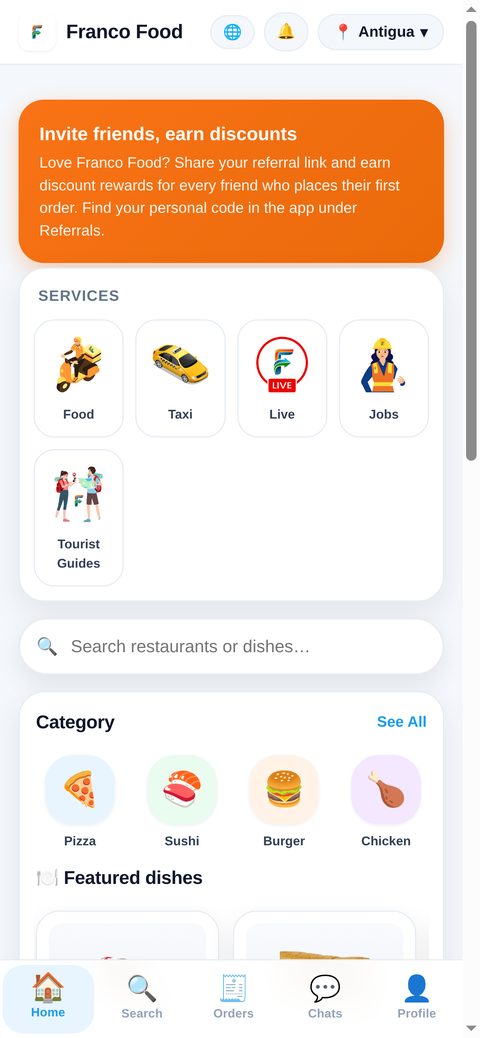
Real app screenshot: the home screen. The Profile tab is at the bottom right. Fill in your personal details
Add a photo, your full name (and tick the box confirming it), your phone, your ID / national ID, your city (Trinidad, Antigua or Dominica) and your date of birth. If your birthdate is already saved, the app locks it.
Choose your service
Pick Taxi, Food delivery, or both. At least one is required — both are ticked by default.
Add your license
Enter your license number and its expiry date, and upload a photo of the front and the back of your license. Both photos are required.
Add your vehicle
Choose the type (car, motorcycle, scooter, van or truck), then brand → model → year in that order, plus your plate number. Color and number of seats are optional.
Bank, languages and accessibility (optional)
Bank name and account number are optional in the form. Driver payouts are processed via Remitly. Languages and accessibility options are optional too.
Accept the terms and submit
Tick I accept the Terms and conditions and the Privacy policy and tap Submit request. Every required field (marked *) must be filled, or the form shows “Please fill all required fields.”
What happens next
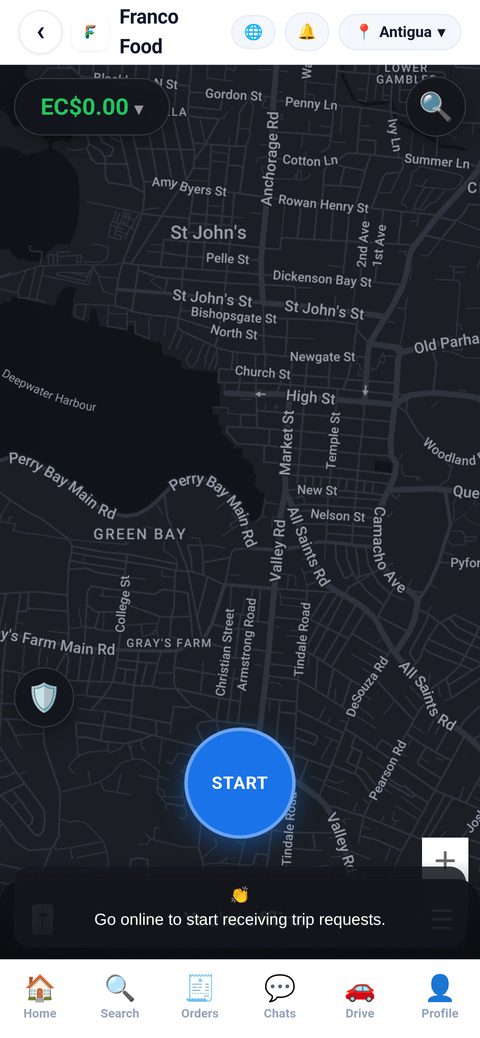
Your request is pending approval: the app shows “Request sent. We will notify you when approved.” The team reviews your application and documents, and notifies you when your account is approved. Then you can go online from the driver panel and start receiving trips — the driver screen below shows the START button you will use.
Common problems
- “Please fill all required fields.” Check name, phone, ID, license, license expiry, vehicle brand, model, year, plate, city, at least one service, the name-confirmation box, the terms box, and both license photos.
- “You already have an account. Log in.” Your license or phone is already linked to a driver account — log in to that account instead of creating a second one.
- The form never appears? Check that your email and phone are verified first; the app sends you to verification otherwise.
- Already a driver? The app shows your driver state or panel instead of the form.
- License about to expire? Keep it current: an expired license blocks the account until a new license is approved.